


We’re excited to announce a new integration with Follow Up Boss that makes it even easier to stay on top of your highest-quality leads.
Integration Details
With this integration, any lead marked as Interested or Scheduled in your Elite Listings dashboard will automatically sync to your Follow Up Boss account. That means:
- Your most promising leads show up where you’re already working
- You can apply Follow Up Boss Action Plans for fast, consistent follow-up
- No need to copy and paste lead details between systems
We built this based on customer feedback—making it easier to manage your pipeline and never let a hot lead slip through the cracks.
Setting Up the Integration
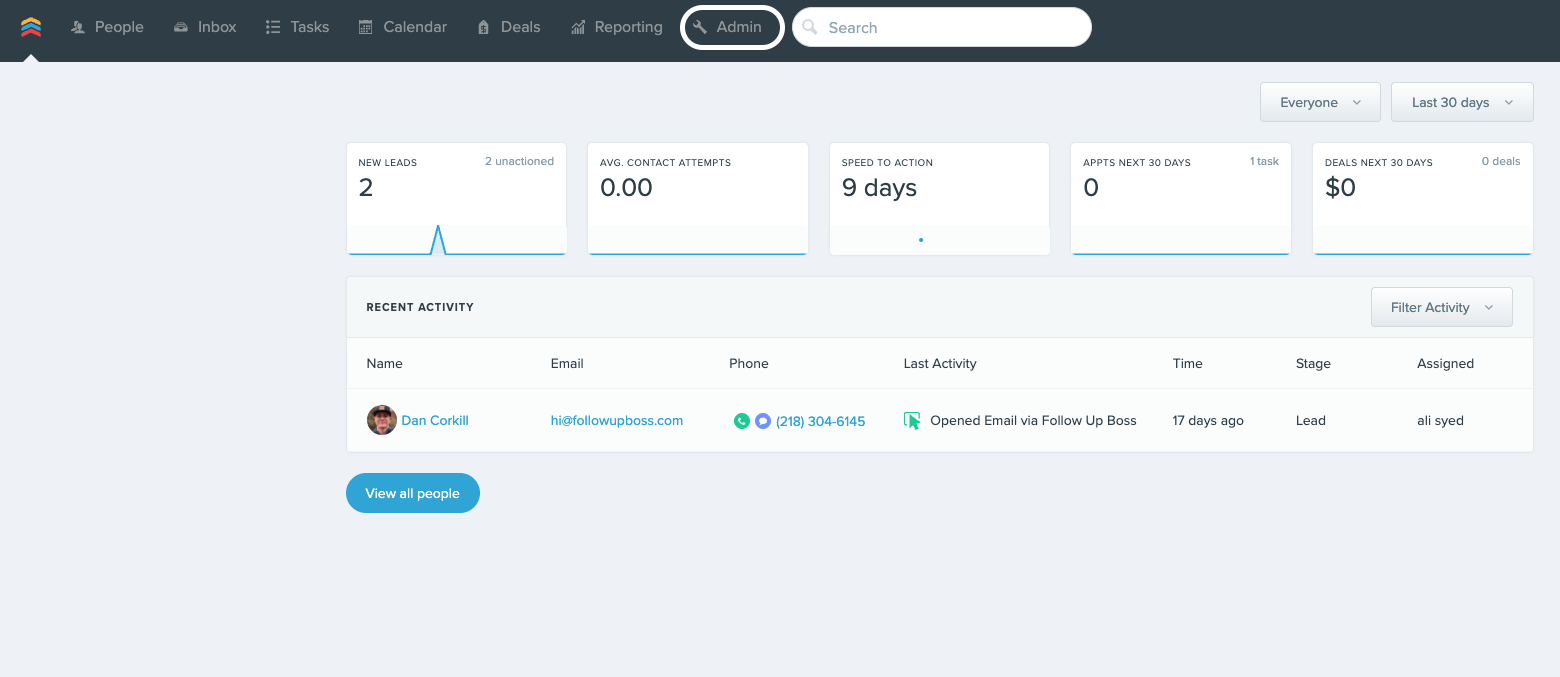
From the Homepage, click Admin at the top of the screen.
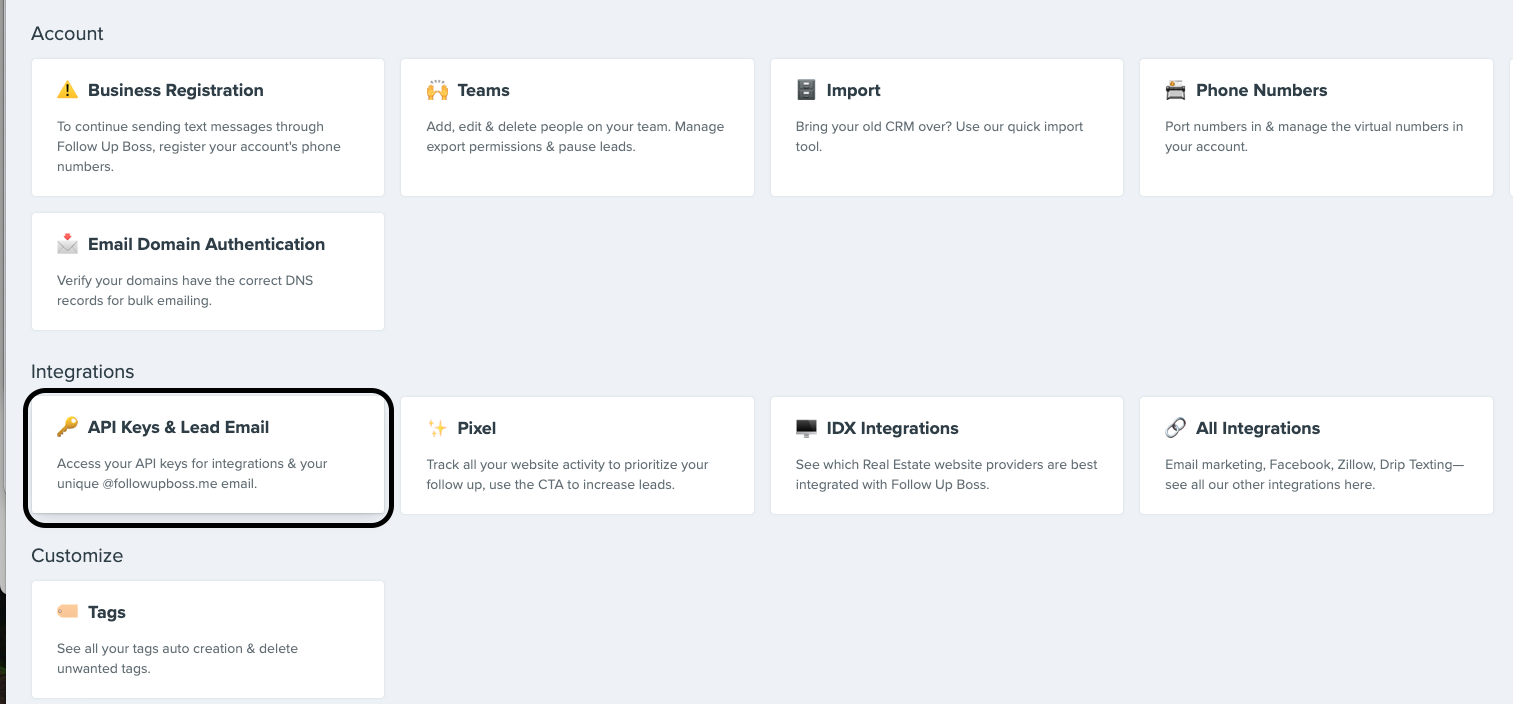
On the Admin page, scroll down to the Integrations section and click API Keys & Lead Email.
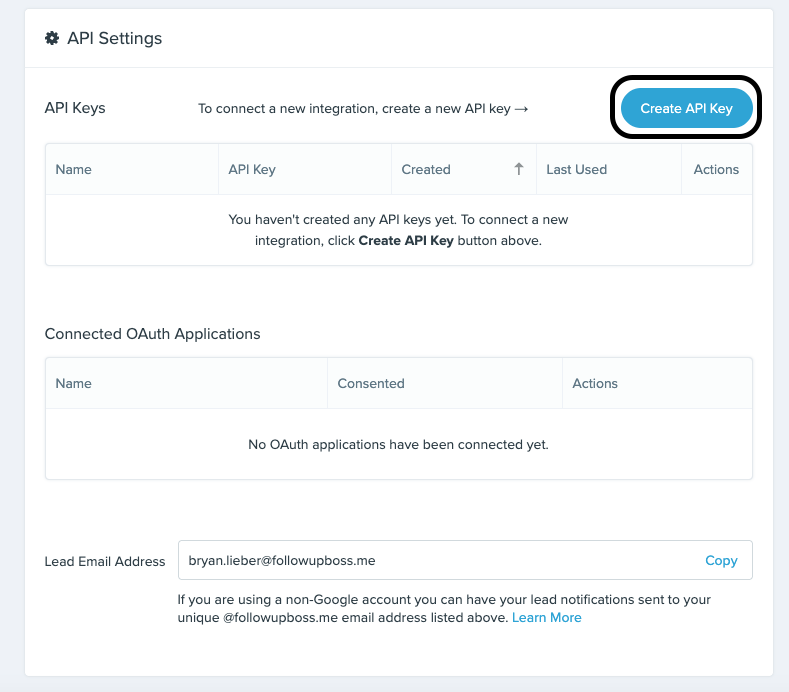
On the API Screen, click the blue button near the top right of the page that says Create API Key.
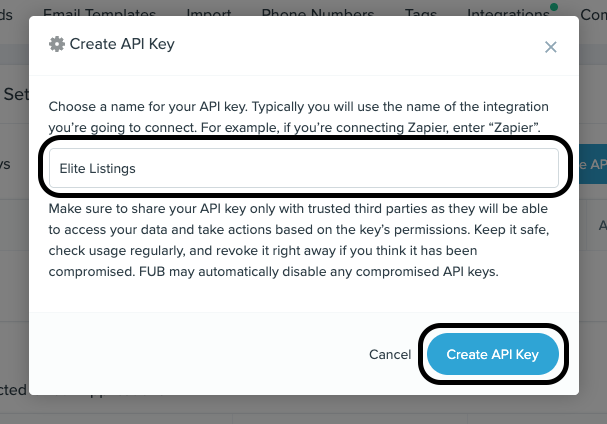
Type Elite Listings as the API key name and click the Create API Key button.
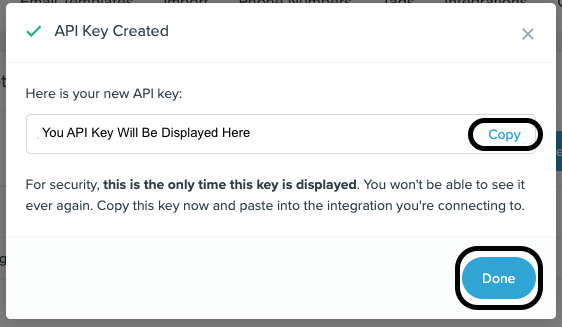
Click Copy to copy your new API key to the clipboard, and then click Done. Important: won’t be able to see this API code again, so please make sure to copy it before you close the pop-up.
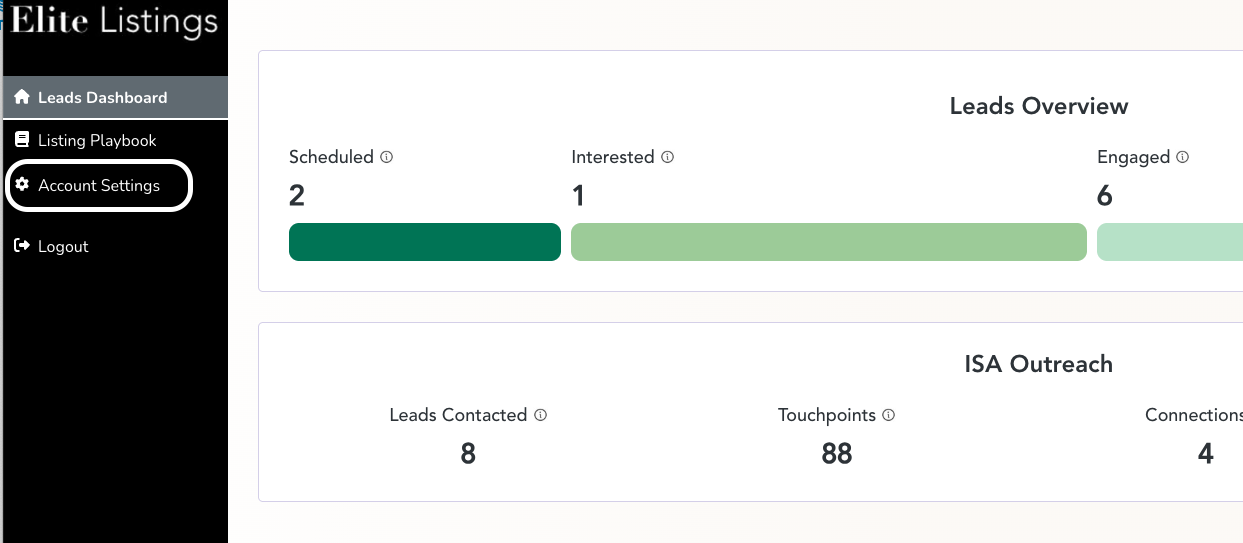
Go to your Elite Listings Dashboard and click on Account Settings.
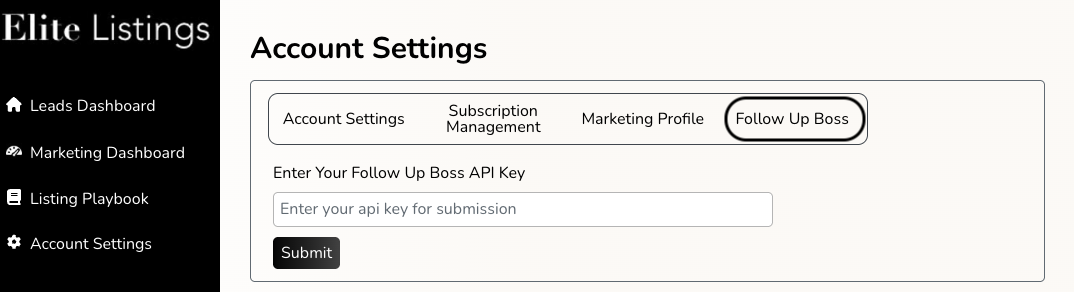
Click on the Follow Up Boss section and post your API key into the appropriate box. Click Submit and then confirm the API information is correct.
Any existing leads in Scheduled or Interested status ‘scheduled’/’interested’ status automatically populate in your Follow Up Boss people list. They will have a tag called Elite Listings and will also include the source where we generated the lead (e.g., Facebook, Google). New leads will be synced to Follow Up Boss shortly after they reach Scheduled or Interested status in Elite Listings.
Please contact us at success@elitelistings.com if you have any issues setting up the integration.